






7 Common Mistakes Novices Make in Mobile Phone Repair—and How to Avoid Them

Cracked screens and aging batteries are common issues, and many users attempt DIY repairs after watching online tutorials. However, improper handling often leads to severed ribbon cables, motherboard damage, or even the total destruction of the device. This article highlights the seven most common mistakes made by novice repairers and offers practical tips to help you avoid them and complete the repair safely and effectively.
Ⅰ.Disassemble the phone when the battery is fully charged (high-risk operation).
This is one of the most dangerous mistakes—and one most frequently overlooked by beginners. Many people habitually fully charge their phones before repairs to facilitate subsequent testing; however, lithium-ion batteries pose a significant risk when fully charged. If a precision screwdriver slips during disassembly or a pry tool is inserted too deeply and punctures the battery, it can trigger thermal runaway—leading to smoke, fire, or even a sudden explosion with catastrophic consequences.
· How to avoid it: Before starting work, always ensure the phone’s battery level is below 10%. A nearly depleted battery holds very little energy; even if you accidentally cause a minor scratch or puncture, the result is likely to be nothing more than a minor scare—certainly not a disaster like a kitchen fire.
II. Cutting corners by using non-professional household tools
“My charging port is clogged—I’ll just dig it out with a paperclip.” This is another common mistake made by beginners. To save money, they often use screwdrivers, utility knives, or even paperclips instead of professional tools; however, metal tools can easily cause short circuits or scratch delicate components. Improper prying tools can shatter the screen or damage the mid-frame, while low-quality screwdrivers can strip screw heads—complicating future repairs or even rendering the phone irreparable.
How to avoid this: As the old saying goes, “To do a good job, one must first sharpen one’s tools.” Consider setting aside a small portion of your budget to purchase a professional smartphone repair kit. Such a kit should include anti-static plastic pry tools, nylon spudgers, and high-hardness precision steel screwdrivers. Remember this golden rule followed by professionals: if you find yourself needing to use brute force to open a component, it means you are using the wrong tool or the wrong technique.
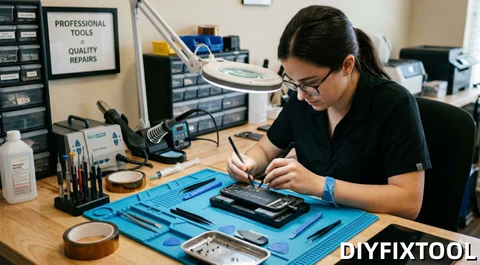
III. The Ultimate Motherboard Killer: Mixing Up Long and Short Screws
This is one of the most insidious—yet catastrophic—errors made when repairing iPhones and high-end Android devices. Two screws may look identical, yet differ in length by anywhere from 0.1 to 1 millimeter; this tiny discrepancy is enough to cause devastating damage. If a “long screw” is mistakenly inserted into a “short screw hole,” it can pierce the motherboard’s PCB layers and sever delicate internal copper traces, resulting in irreversible damage that is nearly impossible to repair.
· How to avoid it: Make a habit of using a magnetic screw mat (or project mat). As you remove screws, arrange them on the mat to exactly match their original positions within the phone. During reassembly, if you feel any resistance while turning the screwdriver using only two fingers, stop immediately! This is a strong indication that you may have selected the wrong screw.
IV.Applying excessive force blindly: Tearing the internal flexible ribbon cable.
To achieve slim profiles and water resistance, modern smartphones rely heavily on strong adhesives to secure internal components. When attempting to remove the screen, novices who apply excessive force risk tearing the ribbon cables connected to the display or Face ID module. This is particularly true for newer models, which feature shorter ribbon cables; the screen can only be lifted at a shallow angle before internal connections are at risk of snapping. Disassembly requires heating to soften the adhesive, combined with patience and careful separation—never use brute force.
· How to avoid this: Before disassembling the device, use a PCB heating station or a heating pad to evenly warm the phone’s edges—set the temperature to approximately 70°C—to soften the cured internal adhesive. Use a suction cup to gently lift the screen and create a gap, then carefully insert a plastic pry tool or pick to separate the components; never attempt to pry the device open using brute force.
V. Failure to disconnect the battery first
You finally open the phone; in your excitement, you eagerly reach out to disconnect the old screen’s ribbon cable. Then—click—the phone goes completely dead and won’t turn on.
Remember: The logic board always maintains a standby current. Even when the phone is powered off, as long as the battery is connected, certain internal circuits remain live. If a metal tool accidentally touches a ribbon cable connector while the board is live, it can cause a short circuit, frying components like the backlight driver or capacitors. Many cases where the screen remains black after a “successful” replacement (even though the phone still vibrates) are caused by precisely this kind of oversight.
· How to avoid this: Once you open the phone, the first and only thing you must do is disconnect the battery! There are absolutely no exceptions to this rule. It is the unshakable “golden rule” of the phone repair industry.
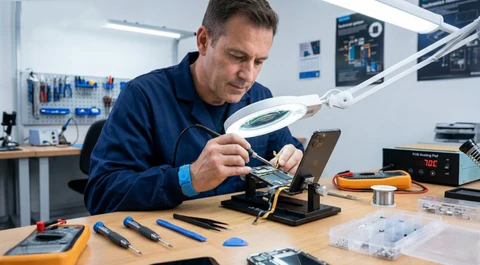
VI.Neglecting physical encryption and data binding of components (data incompatibility)
Modern smartphone components rely on digital pairing; replacing a screen or battery is no longer a simple physical swap. Without proper data migration or calibration, features such as True Tone, auto-brightness, or Face ID may cease to function, and “Unknown Part” warnings may appear. This is not an issue with the quality of the replacement part itself, but rather a data mismatch caused by the device’s system security mechanisms.
· How to avoid this: During repair, you must use professional chip programming tools (such as the JCID V1S Pro) to read the underlying chip data from the original component and write it to the new replacement part. If you do not have such programming equipment and need to replace components like the earpiece or ambient light sensor, you must carefully transfer the core chip and sensor from the original flex cable to the new component.
VII. Cutting Corners: Neglecting Waterproof Seal Repairs
If the waterproof seal is overlooked after repairs are completed, the job cannot be considered truly finished, even if all functions appear to be working normally. The original waterproof adhesive is inevitably compromised during disassembly; without proper resealing, moisture and dust will gradually seep into the device. Over time, this can corrode the motherboard and ultimately cause the device to fail when exposed to everyday humidity.
· How to avoid this: Before closing the phone, you must use a scraper to thoroughly remove any old adhesive residue from the middle frame. Then, apply a layer of waterproof sealant (frame adhesive) specifically designed for that phone model. Although this step takes only two minutes and costs just a few dollars, it determines whether your phone lasts for another month or continues to serve you reliably for years to come.
DIY phone repair can save money and provide a sense of accomplishment, but it requires great patience and the right tools. If you feel unsure during disassembly or lack the necessary tools, stop immediately to avoid causing damage through forced handling. When necessary, seek professional repair services or check your device’s warranty coverage. Invest in a high-quality phone repair toolkit.